
How a Growing Software Company Built a Smarter Support Queue
A growing software company had customer questions split across Zendesk, email and product feedback. Agents spent too much time tagging tickets, finding the right help article and passing technical problems to engineering.
- Proof basisMarket solution story
- IndustrySoftware and Customer Support
- Year2026
- ServicesWorkflow Automation, System Integration, AI Automation
This is a market solution story built from Chronexa’s research into real businesses, roles, technology stacks and operating problems. It shows how we would engineer the system. It is not presented as a named client deployment, and no unverified savings or performance result is claimed.
The short answer
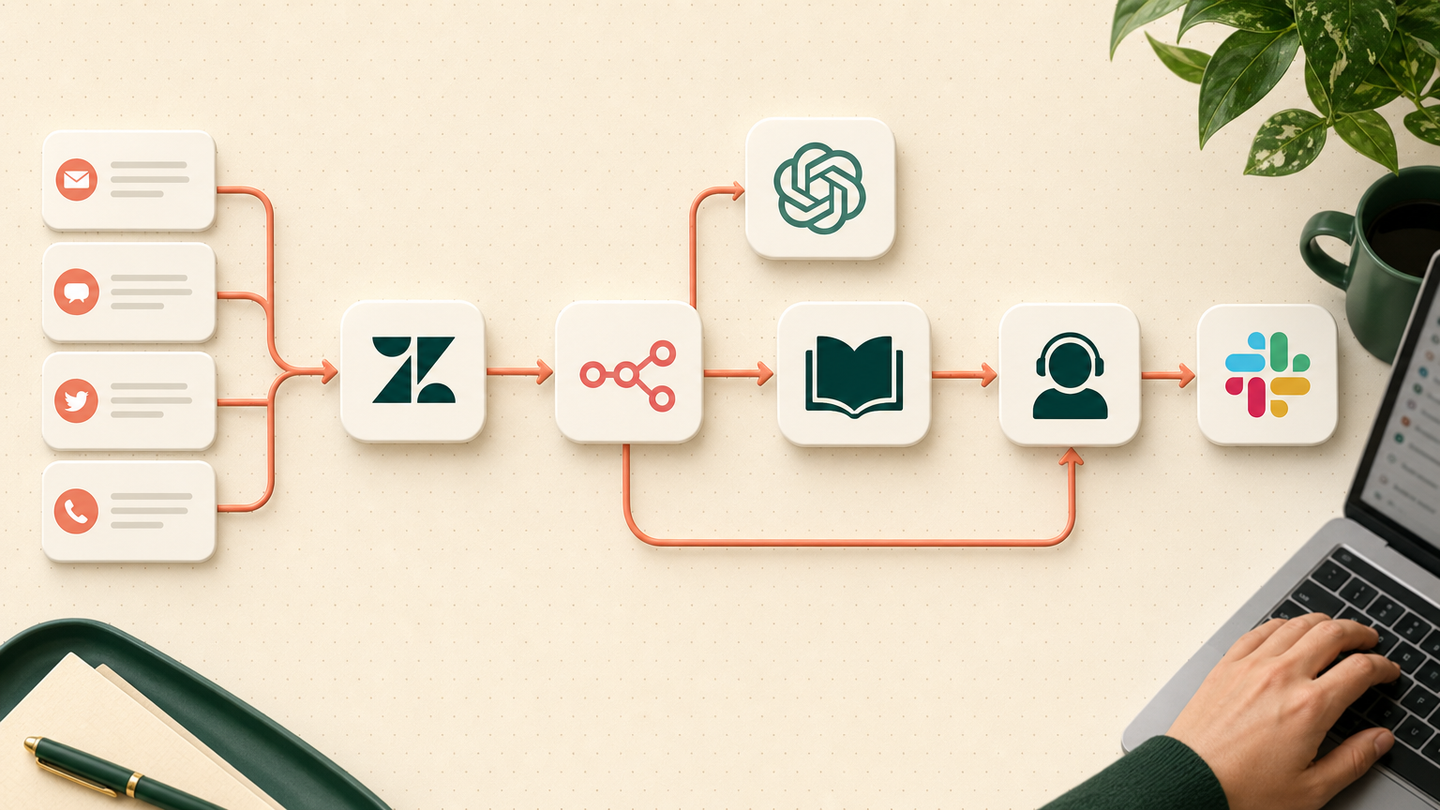
We designed a support workflow that classifies each ticket, retrieves an answer from approved knowledge, drafts a reply with citations and routes urgent or uncertain cases to the right person. Zendesk remains the case record and no low-confidence answer is sent automatically.
Tools and systems used
- Zendesk
- n8n
- OpenAI
- Postgres vector search
- Slack
- Jira
The queue looked busy but hid the real problem
The team was meeting customers in several channels, but every message landed as unstructured work. Senior agents answered simple questions because they knew where to look. Product bugs waited behind billing requests. Managers saw ticket count but not recurring failure themes.
The company did not need a public chatbot making confident guesses. It needed a better operating queue for the people already responsible for support.
The design goal
Known questions should arrive with a grounded draft. High-risk and unclear questions should reach the correct human faster. Every answer needed a visible source.
How the workflow runs
- Receive the ticket
Capture the message, customer, product area and channel from Zendesk.
- Classify intent
Return a fixed issue type, urgency level and requested action.
- Retrieve evidence
Search only approved product and policy documents and keep the source links.
- Draft or route
Draft a cited reply for known questions or send the ticket to a specialist queue.
- Escalate incidents
Create a Jira issue and alert Slack when technical rules and urgency thresholds match.
- Learn from closure
Store the final resolution and flag gaps in the knowledge base.
The system we designed
Zendesk events trigger n8n. OpenAI classifies the message into an allowed schema. A Postgres vector index retrieves small passages from approved product documents. The draft includes those passages and links. Routing rules then use intent, customer tier, sentiment and security terms to choose the queue.
Technical issues can create a structured Jira ticket with the customer context and reproduction details already attached. Slack receives an incident alert only when deterministic rules match; the model cannot declare an incident by itself.
How the business would judge it
Measure first-response time, reassignments, percentage of drafts accepted with small edits, citation failures, escalation time and repeat-contact rate. The goal is faster, more consistent handling—not replacing every support conversation.
Why retrieval comes before writing
The model is not treated as a knowledge store. It receives only the relevant approved passages for that question. If retrieval finds weak evidence, the workflow withholds the draft and asks an agent to investigate.
How the feedback loop works
Final agent replies become labelled examples. Repeated unresolved topics become knowledge tasks rather than silently training on every conversation. This keeps support policy under editorial control.
Safeguards and failure handling
- Answers must cite approved knowledge.
- Low-confidence or account-specific cases stay with an agent.
- Refund, security and legal topics always use specialist routes.
- A model cannot close a ticket or change account data.
- Customer data is limited to the fields needed for the task.