
Turning an ROI Calculator Result Into a Useful Follow-Up
Chronexa connected its website calculators to a workflow that converts each result into a readable breakdown and sends it immediately, preserving the assumptions instead of sending a generic sales email.
- Proof basisRunning inside Chronexa
- IndustryWebsite Conversion & Lead Nurture
- Year2026
- ServicesWorkflow Automation, Email Automation, Conversion Tracking
Verified from the active Calculator Breakdown Emails workflow and the three public calculators on chronexa.io. No claim is made about booked-call lift until enough attributed conversions exist.
The short answer
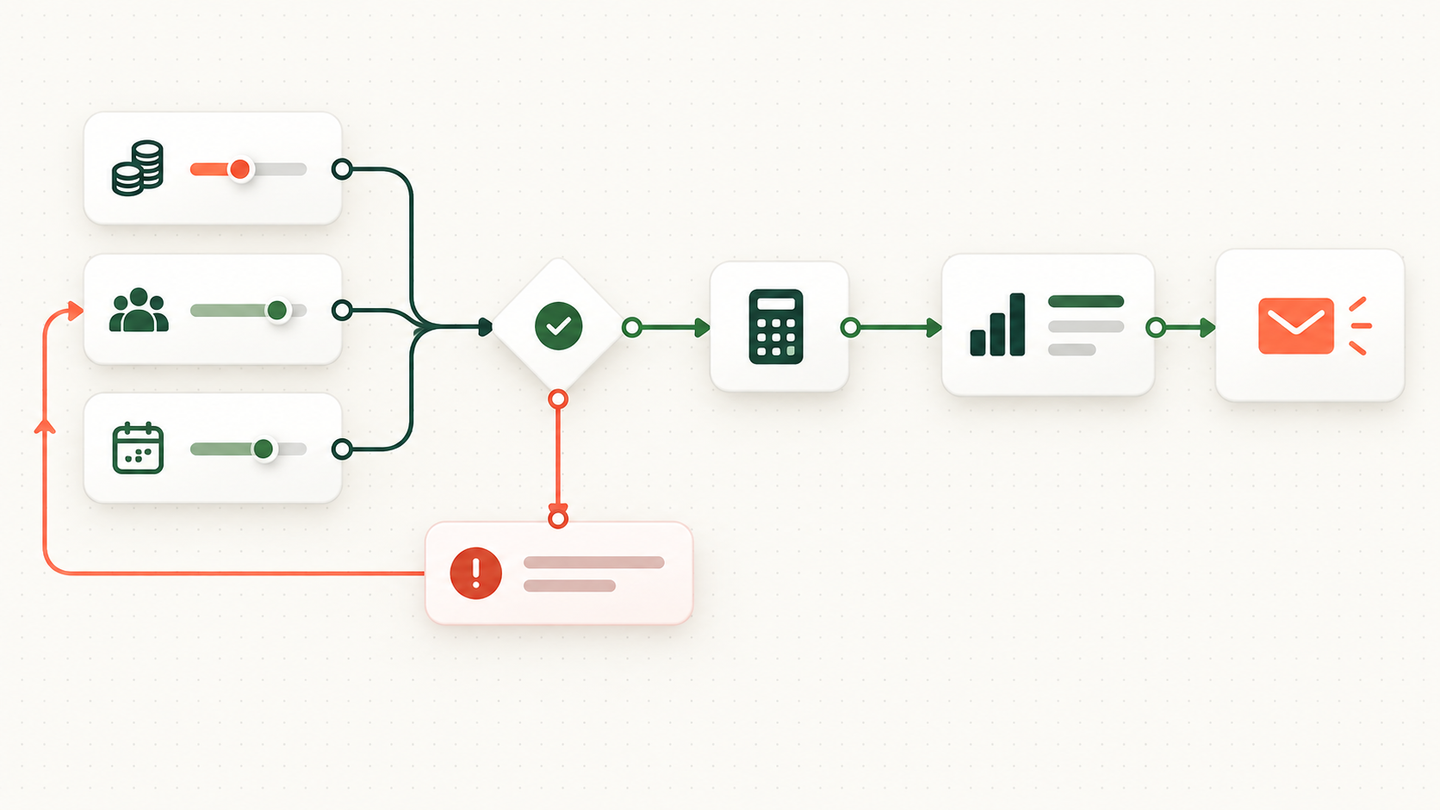
Chronexa connected three website ROI calculators to an n8n email workflow. The calculator does the maths with fixed formulas, sends the result and input context to a webhook, and delivers a readable breakdown by email. The language model is not allowed to recalculate the numbers.
Tools and systems used
- Next.js
- Browser-side formulas
- n8n
- Webhook validation
- Email provider
- Analytics events
A calculator can create value or just collect an email
Most ROI tools reveal a headline number and follow with a generic nurture sequence. That breaks the connection between the visitor’s inputs and the business problem they were trying to understand.
Chronexa needed the follow-up to preserve the calculation: inputs, assumptions, result and the next decision the visitor could make.
Different calculators require different explanations
Billing leakage, document-processing cost and tax-season capacity do not share the same units or caveats. The workflow could not treat them as one interchangeable lead magnet.
How the workflow runs
- Collect business inputs
The calculator asks only for the values needed by its formula and the requested email.
- Calculate the result
Fixed code computes the estimate and supporting figures.
- Validate the payload
The webhook checks calculator type, required fields and numeric values.
- Choose the right template
n8n routes the result to the matching calculator explanation.
- Send the breakdown
The email contains the result, assumptions and next action in a readable format.
- Track the handoff
Submission and delivery events support funnel analysis without changing the calculation.
The active workflow
A website submission sends the calculator type, user inputs and computed result to a webhook. The workflow selects the matching explanation, formats the assumptions into a readable email and sends the breakdown through the business email account.
The calculation remains deterministic in the website code. The workflow explains and delivers the result; it does not ask a language model to recalculate it.
Why this matters
The visitor receives something useful enough to keep and forward, and the sales conversation can start from the same numbers the visitor saw. This is a small automation, but it closes a common conversion gap between an interactive tool and a relevant human follow-up.
It also keeps the promise of the form honest. The user gives an email address in exchange for their own analysis, not a disguised brochure. Any later sales contact can refer to the exact workflow cost or capacity constraint they calculated.
Why the maths stays outside AI
A calculator earns trust by returning the same answer for the same inputs. The formulas therefore live in code. The workflow receives the computed result plus the inputs needed to explain it. It formats and delivers the output but does not ask a model to recreate the arithmetic.
One endpoint supports three calculators by using an explicit calculator-type field. n8n validates that value, selects the matching template and maps only the relevant data. This avoids three nearly identical workflows while keeping the emails specific.
The useful business outcome
A visitor gets a result they can keep and share. Chronexa receives a lead with context about the problem the person measured. The workflow shortens the path from anonymous tool use to a relevant conversation. It does not claim that every calculator submission becomes revenue.
Safeguards and failure handling
- The calculation is deterministic; a language model does not change the numbers.
- The calculator type controls which fields and template are allowed.
- Input validation rejects missing or malformed values.
- The email explains assumptions so an estimate is not presented as a guaranteed return.