
How a SaaS Finance Team Removed the Invoice Inbox Bottleneck
A growing software company was receiving invoices through several inboxes. Finance staff downloaded attachments, renamed files, copied fields into a tracker, chased approvers and then entered the same data into accounting software.
- Proof basisMarket solution story
- IndustrySoftware and Finance Operations
- Year2026
- ServicesWorkflow Automation, System Integration, AI Automation
This is a market solution story built from Chronexa’s research into real businesses, roles, technology stacks and operating problems. It shows how we would engineer the system. It is not presented as a named client deployment, and no unverified savings or performance result is claimed.
The short answer
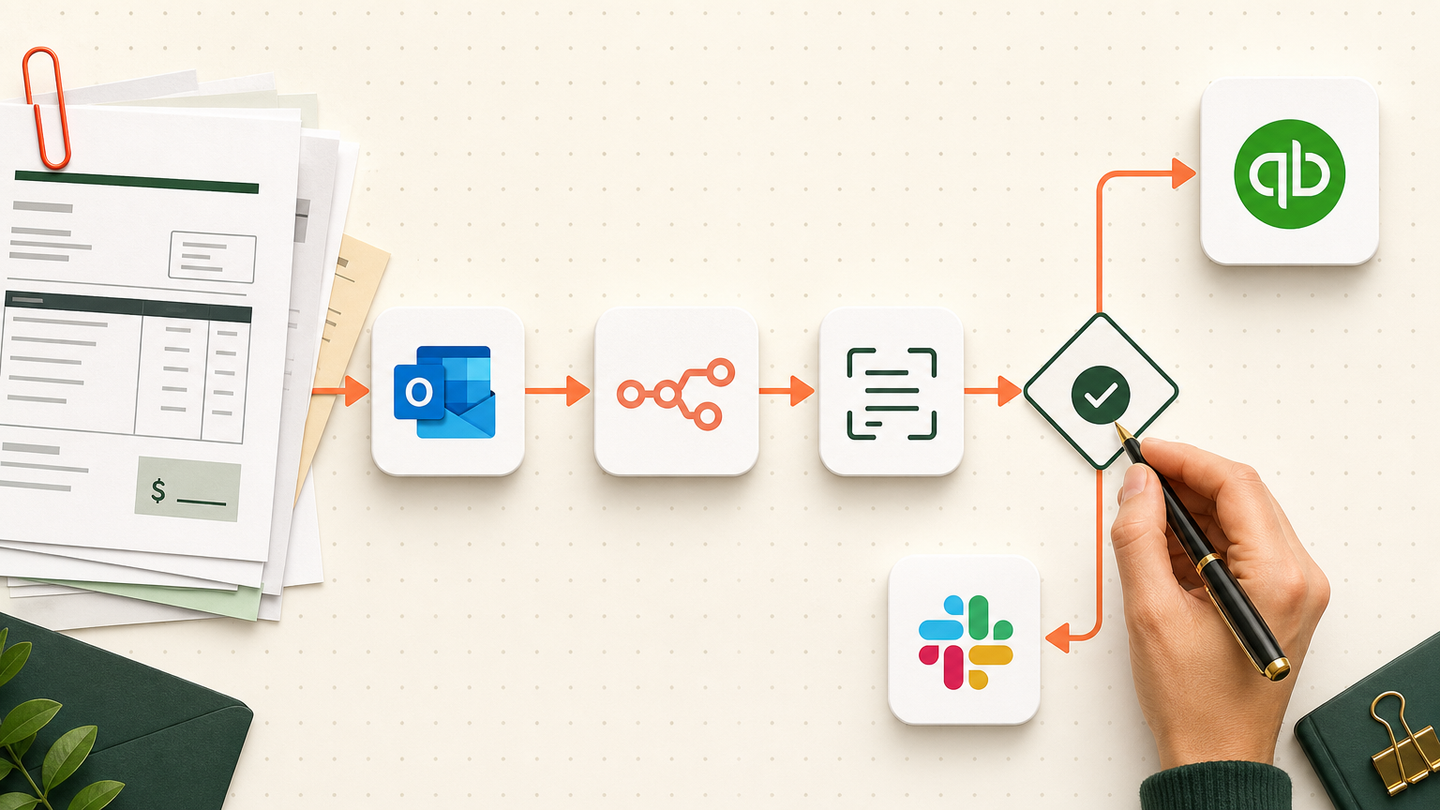
We designed one accounts payable workflow that watches the invoice inbox, reads each attachment, checks vendor and purchase-order data, routes exceptions to a person and creates an approved bill in QuickBooks or Xero. Every invoice keeps its source file and audit trail.
Tools and systems used
- Outlook or Gmail
- n8n
- Azure Document Intelligence
- QuickBooks or Xero
- Slack or Microsoft Teams
- SharePoint
The moment the process stopped scaling
The company had grown past the point where one finance coordinator could keep the invoice inbox tidy. Bills arrived as PDFs, scans and forwarded email chains. Department owners approved in Slack, email or not at all. The accounting record was often correct, but nobody could quickly explain who approved it or where the source file lived.
The risk was not only slow data entry. A duplicate attachment could be paid twice. A bill could be posted to the wrong entity. Month-end became a search across inboxes instead of a controlled close process.
What the team needed
Finance wanted faster processing without giving software permission to make accounting judgments. Clean invoices should pass through quickly. Exceptions needed to arrive with enough context for a person to decide in one place.
How the workflow runs
- Capture invoices
Monitor approved mailboxes and save the original message and attachment.
- Extract fields
Read vendor, invoice number, dates, line items, tax and totals into a fixed schema.
- Check the record
Compare the vendor, duplicate key, purchase order and arithmetic before approval.
- Route exceptions
Send missing, conflicting or low-confidence fields to finance with the source page.
- Collect approval
Apply amount and department rules, then record the approver and decision.
- Post and archive
Create the bill in QuickBooks or Xero and store the linked source file in SharePoint.
The system we designed
n8n receives attachments from an approved mailbox and stores the original file. Azure Document Intelligence extracts a strict set of fields. Code checks arithmetic and creates a stable duplicate key. Vendor and purchase-order lookups happen through the accounting API before the workflow chooses the straight-through or exception path.
Approval rules use amount, department and entity. The approver sees the invoice image beside extracted values. A successful accounting API response returns the bill ID, which is written back to the audit record and source file.
How the business would judge it
The first measures are operational: percentage processed without re-keying, exception rate, approval time, duplicate blocks and month-end items without a source document. Cash savings should be calculated from the company’s actual invoice volume and handling time, not a generic percentage.
Why this architecture is dependable
Extraction is probabilistic; posting is deterministic. The model can read a messy document, but code validates totals, required fields and allowed entities. Each external write uses an idempotency key. Temporary API failures retry. Permanent failures keep the invoice in an exception queue rather than marking it complete.
Where people remain responsible
Finance approves policy exceptions, new vendors, coding changes and payments. The automation assembles evidence and removes repeated typing. It does not become the controller.
Safeguards and failure handling
- Duplicate key combines vendor, invoice number and amount.
- OCR confidence thresholds send uncertain fields to review.
- The system never invents a missing purchase order or tax value.
- Accounting software confirms the bill ID before the workflow marks the job complete.
- Original files and approval events remain linked for audit.