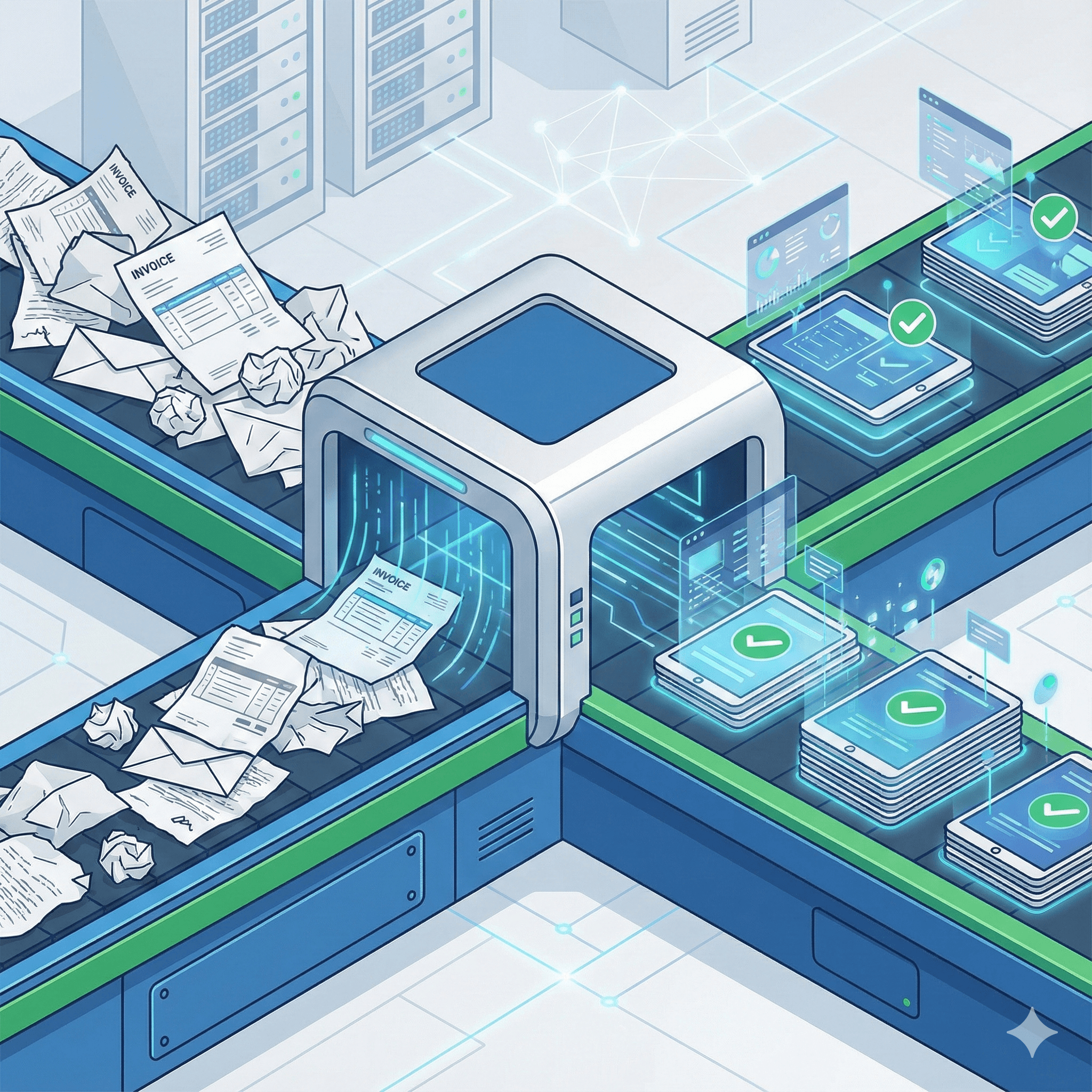
For years, the promise of "AP automation" has fallen flat for mid-market industrial companies. Why? Because traditional Optical Character Recognition (OCR) tools were built for perfect data. They choke on skewed scans, get confused by coffee stains, and fail completely when a warehouse manager handwrites a received quantity next to a printed one.
At Chronexa, we are practical automation engineers. We know that if an automation system can't handle the messiest 30% of your invoices, it's not a solution—it's just another tool that requires constant babysitting.
The good news is that AI has finally caught up to the reality of your supply chain paperwork. This is a guide to building an invoice automation engine that actually works when the data is ugly.
The Real Problems: Why AP is Bleeding Cash
For a manufacturing or logistics company with 200–500 employees, processing 200+ vendor invoices a month isn't just a chore; it’s a significant operational risk and financial drain.
The pain isn't just in the volume; it's in the complexity.
1. The Manual Data Entry Time Sink
In a complex environment involving raw materials or freight, an AP clerk doesn't just type in a total. They are cross-referencing line items, checking GL codes, and verifying tax jurisdictions. A single complex invoice with 20 line items can easily take 15 to 20 minutes to process fully from receipt to "ready for payment." That is hours of high-value employee time burnt on low-value data entry every day.
2. The 3-Way Matching Hell
This is the unique bane of manufacturing finance. You cannot pay an invoice until you match it against the original Purchase Order (PO) and the Goods Receipt Note/Packing Slip.
When these three documents don't align perfectly—because the vendor shipped 95 units instead of 100, or freight costs were added after the PO was cut—the process grinds to a halt. The AP team turns into private investigators, chasing warehouse managers and purchasing agents via email loops to resolve the discrepancy.
3. The Silent Cost of Duplicate Payments
When you are drowning in paper and managing multiple ERP, WMS, and accounting systems, duplicates slip through. A vendor sends an invoice via email, doesn't get paid in two weeks, so they mail a physical copy. Both get processed.
Specific Metric: In a recent audit for a mid-sized logistics client, we uncovered $47,000 in duplicate payments processed in a single quarter that their standard ERP controls missed because of slight variations in invoice numbers (e.g., "INV-123" vs. "INV123").
The Solution Breakdown: An Engineered Workflow
We don't sell a proprietary "black box" platform. We build transparent, customized workflows using best-in-class tools that you control.
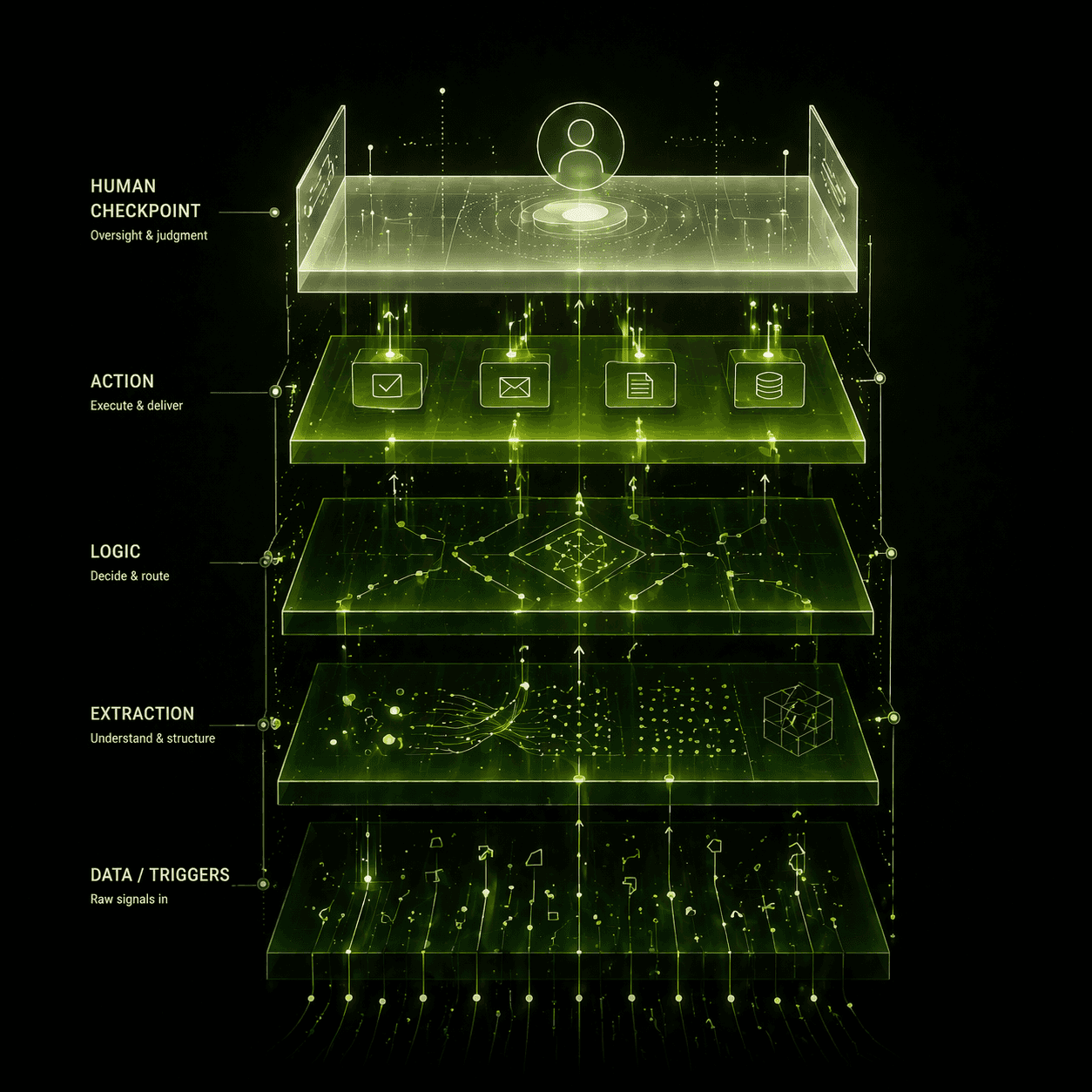
Our typical stack for a manufacturing client involves n8n (for workflow orchestration), cutting-edge AI-Vision models (for reading messy documents), Airtable (as the central command center for AP data), and Slack/Teams (for human exception handling).
Here is how the system works in practice:
Step 1: Intelligent Intake & "Messy Data" AI-OCR
Invoices arrive via a dedicated email inbox or a vendor portal. n8n automatically grabs the attachment.
Instead of using brittle, template-based OCR that breaks if a vendor changes their logo, we use advanced AI models (like GPT-4 Vision or specialized document AI). These models don't just look for text at specific coordinates; they "read" the document like a human. They can interpret handwritten notes on a packing slip, distinguish between a "Ship To" and "Bill To" address even if they are poorly labeled, and extract line-item table data even across multiple pages.
Step 2: The Intelligent 3-Way Match
Once the data is extracted, it's loaded into Airtable. The workflow then queries your ERP or inventory system to find the corresponding PO and Receipt data.
The automation performs the match based on your business rules. It’s not a simple pass/fail. We build in tolerances:
Is the total within a 3% variance due to shipping costs? Auto-Match.
Did the vendor substitute an equivalent part number? Use fuzzy matching logic to relate the items.
Step 3: Automated Exception Routing
If the 3-way match fails outside of tolerance, the system doesn't just stop. It identifies why it failed and routes it.
Missing Goods Receipt: The workflow automatically Slacks the warehouse manager requesting confirmation of receipt.
Price Variance: The workflow alerts the Purchasing Manager to approve or dispute the new pricing.
Step 4: Vendor Self-Service Portal
If essential data is missing (like a required PO number on the invoice face), the system shouldn't waste your team's time. The workflow automatically replies to the vendor email with a secure link to a simple Airtable form, asking them to provide the missing data point before the invoice can enter the processing queue.
Step 5: Smart Approval Workflows
Once matched and validated, the invoice is routed for final approval based on spend thresholds. A $200 MRO invoice might be auto-approved, while a $50,000 raw materials invoice is routed via Slack to the CFO for a one-click approval.
The Economics: Real-World Results
Moving from manual processing to an intelligent, automated workflow changes the unit economics of your finance department.
Feature | Manual Process | Semi-Automated (Standard OCR) | Fully Automated (AI & n8n Workflow) |
Data Entry Time | 15-20 mins per invoice | 5-10 mins (correcting OCR errors) | < 2 mins (human review only) |
Messy Data Handling | High human effort (deciphering handwriting) | Fails (requires manual entry) | High success (AI reads handwriting/context) |
3-Way Match | Manual visual comparison across screens | N/A (usually just extracts data) | Automated with built-in tolerances |
Exception Handling | Manual email chases | Manual email chases | Automated routing to right stakeholder |
Duplicate Detection | Relies on exact match in ERP | Weak | Advanced fuzzy matching logic |
Key Metrics from Recent Deployments:
Time Savings: We typically see a 90% reduction in manual data entry time. Your AP staff shifts from typing data to managing exceptions.
Velocity: The average "time to process" drops from 5–7 days to under 24 hours, allowing you to capture early payment discounts.
Cost Perspective: A full-time AP clerk in the US costs roughly $45,000–$60,000 annually (fully loaded). The running cost of this automation stack (n8n, AI credits, Airtable) for a mid-market firm is often around $600–$800 per month.
Transparent Limitations: What Humans Must Still Do
Automation is not magic. A human is still required when:
There is a genuine dispute with a vendor over damaged goods.
A brand-new vendor needs to be set up in your ERP for the first time (though we can automate the form collection).
The AI flags a highly unusual transaction for review (e.g., a 500% price increase on a standard item).
Implementation Roadmap: The "Crawl, Walk, Run" Approach
We never recommend flipping a switch on full automation overnight, especially in complex supply chain environments. A successful rollout happens in phases over 4–6 weeks.
Phase 1: The "Clean" Suppliers (Weeks 1-2)
We target your top 10 vendors who send relatively clean digital PDFs. We build the extraction models and train the system on their formats. The goal is to get quick wins and volume reduction.
Phase 2: The "Messy" Middle & 3-Way Matching (Weeks 3-4)
We tackle the vendors sending scans and paperwork requiring complex 3-way matching. We tune the tolerances and set up the exception routing via Slack to warehouse/purchasing teams.
Phase 3: Full Production & Monitoring (Week 5+)
We go live with all vendors. We set up monitoring dashboards in Airtable to track straight-through processing rates and identify bottlenecks.
Common Mistake to Avoid: Do not automate the final payment approval in Phase 1. Finance teams need to trust the data first. Keep the final "pay" button manual until the system has proven itself for a quarter.
Stop Being Your Vendors' Data Entry Clerk
If your finance team is spending half their day deciphering bad scans from suppliers, you are wasting talent and risking significant capital on errors.
Modern invoice automation is finally robust enough to handle the reality of a manufacturing supply chain. It’s time to let the machines handle the paperwork so your team can manage the cash flow.
Get a Free AP Process Audit We'll spend 45 minutes reviewing your current invoice intake, 3-way match hurdles, and ERP setup to give you an honest assessment of automation viability.
About author
Ankit is the brains behind bold business roadmaps. He loves turning “half-baked” ideas into fully baked success stories (preferably with extra sprinkles). When he’s not sketching growth plans, you’ll find him trying out quirky coffee shops or quoting lines from 90s sitcoms.

Ankit Dhiman
Head of Strategy
Subscribe to our newsletter
Sign up to get the most recent blog articles in your email every week.